 MaskClip
For professionals who handle client data
Mask it before AI sees it.
MaskClip hides names and numbers in screenshots, files and web pages before they reach any AI, then puts them back in the answer. All on your Mac.
Free · 14-day Pro trial · no card
Try it here
Edit the text or paste your own. It’s masked in this page. Nothing is sent, not even to us.
This demo uses MaskClip’s rules only. The Mac app adds an on-device language model for names, plus files, screenshots and web pages.
Three ways to use it
1
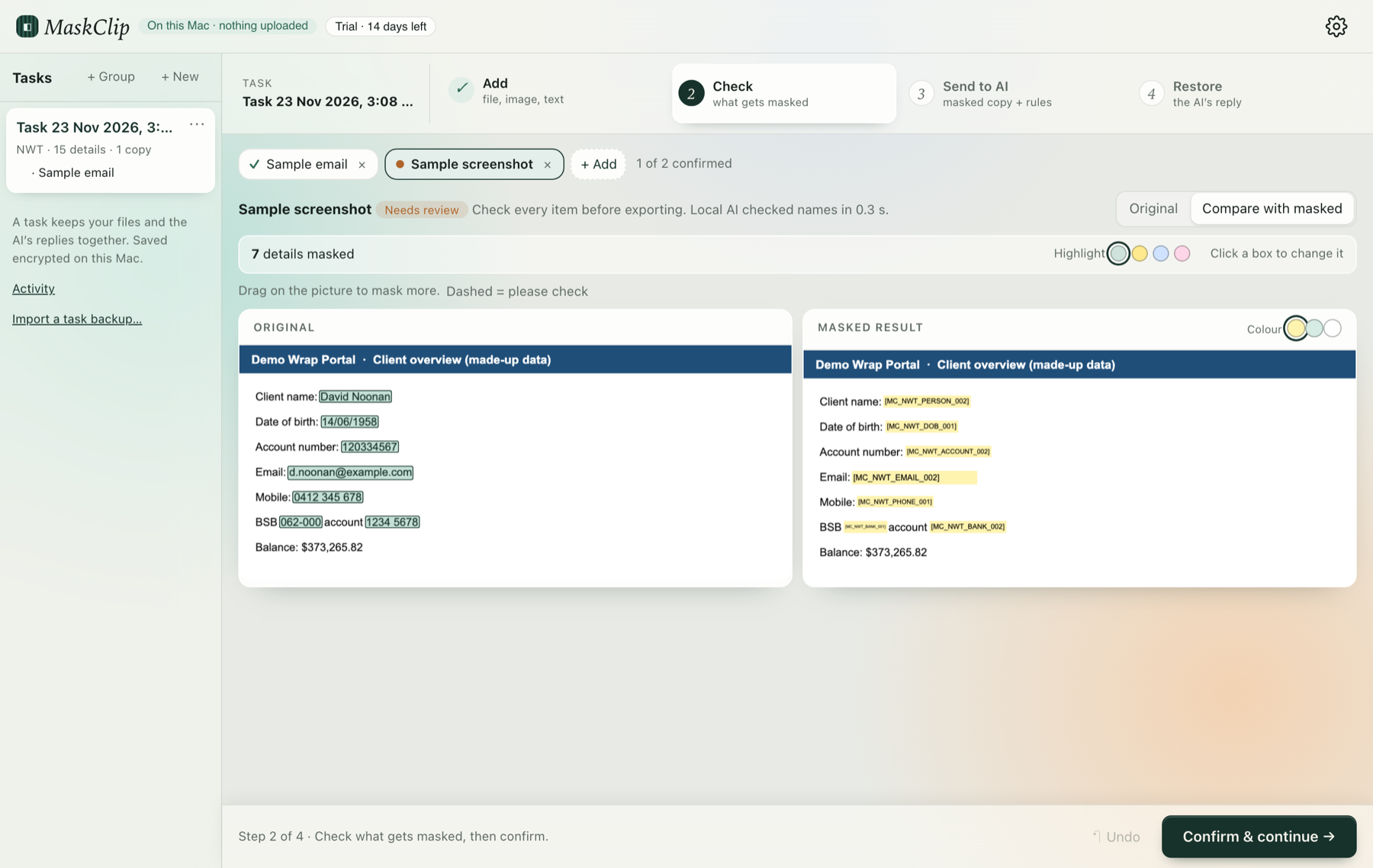
Screenshots
Press a shortcut and drag over any app. Names and numbers are covered before you paste the picture into ChatGPT or Claude.
2
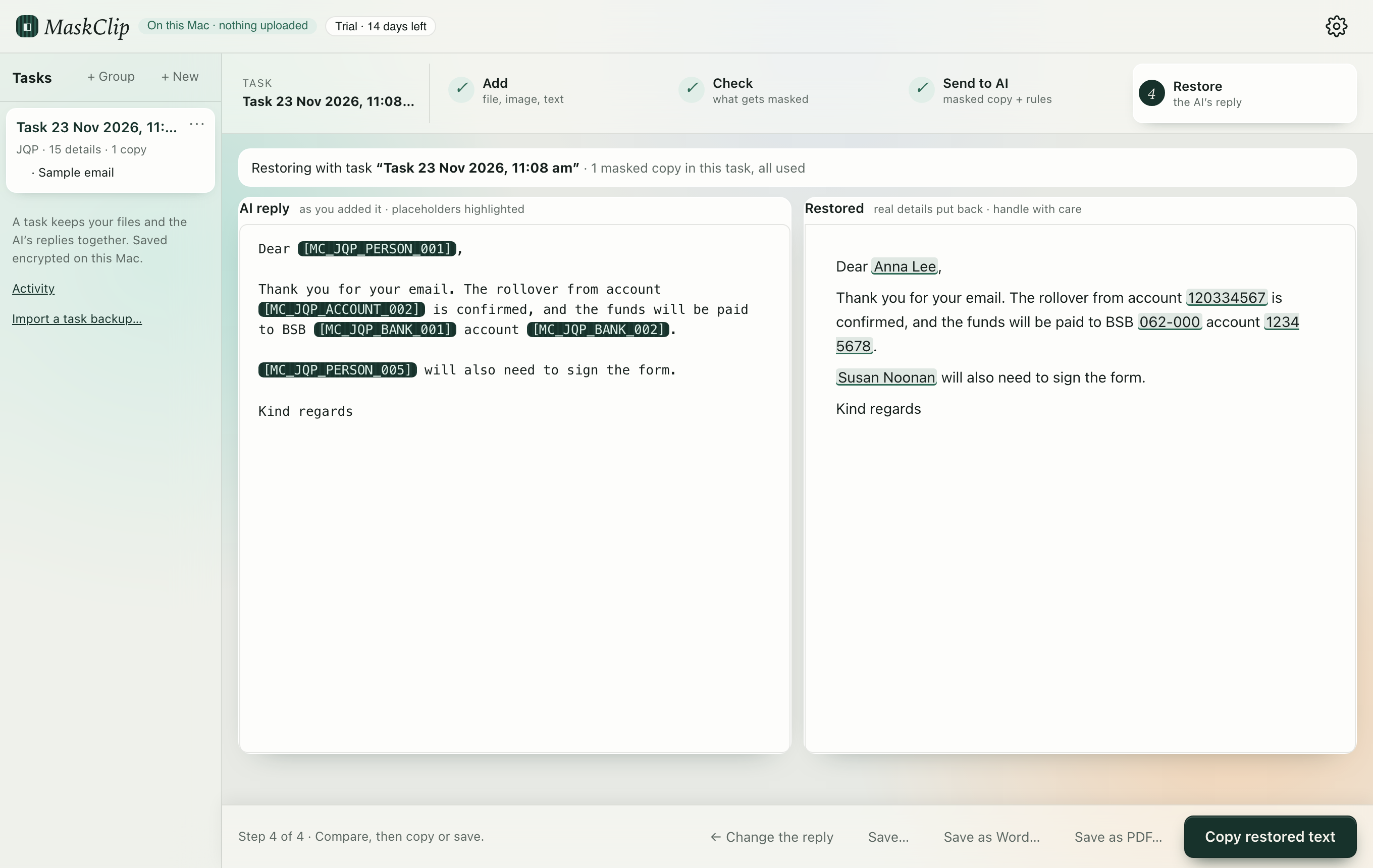
Files, masked and restored
Drop a PDF, Word or Excel file. Send the masked copy to the AI, paste its answer back, and the real details return.
3
Inside ChatGPT and Claude
The Chrome extension masks what you paste before the chat page gets it, and checks again before you send. Replies show restored in a MaskClip box only you can see. It also sends client portals and CRM pages to the app.
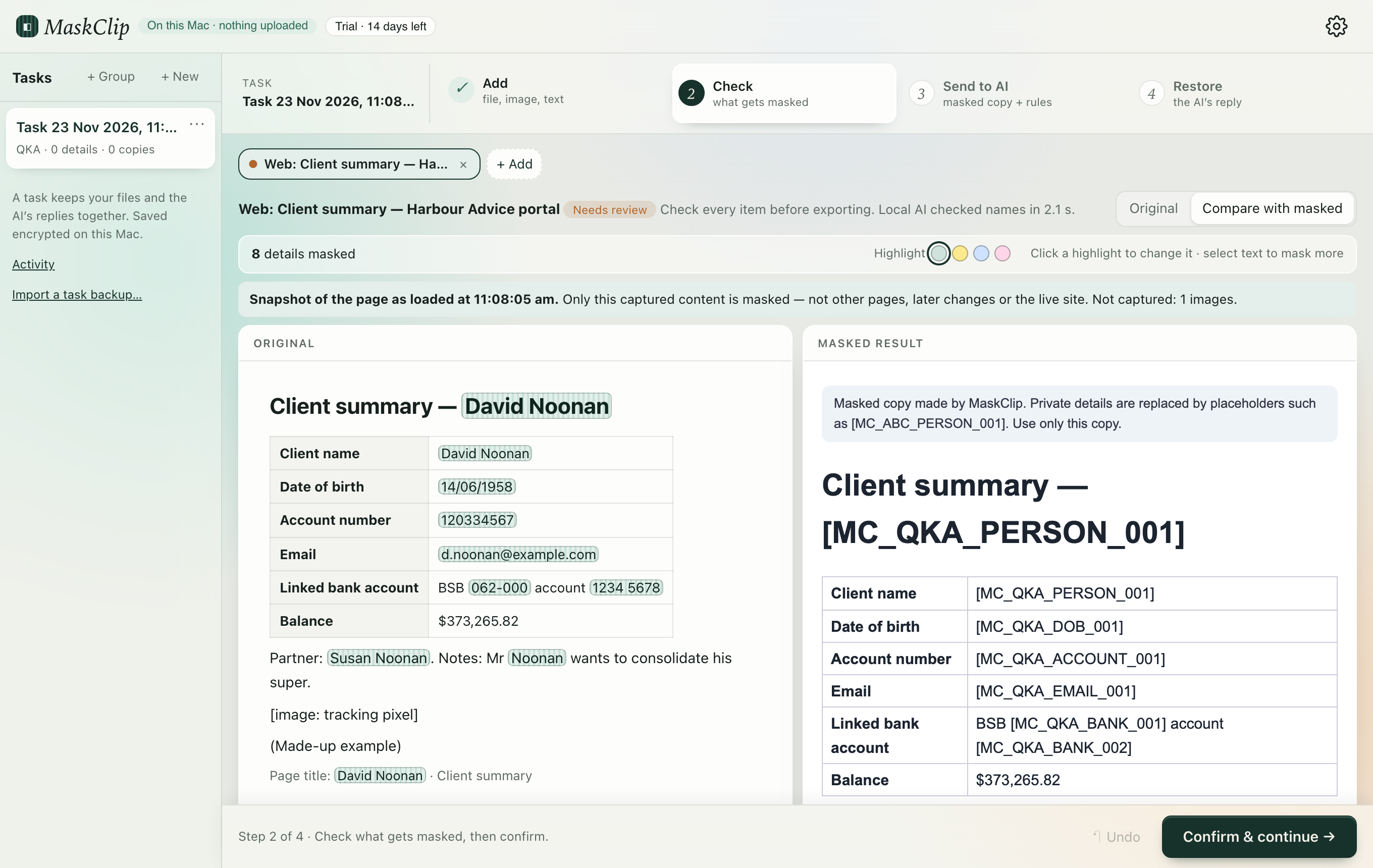
All images use made-up sample data. The same person always gets the same placeholder, so the AI can still follow who is who.
For anyone who handles client data
Advisers and accountants
Fact-finds, tax returns, bank exports.
Lawyers and paralegals
Contracts, letters, case notes.
HR and recruiters
CVs, employee records, payroll queries.
Practice and clinic admin
Referrals, invoices, patient letters.
Customer support
Tickets, account screens, complaint emails.
Consultants and freelancers
Client briefs, reports, CRM records.
How it finds details
Check digits
Numbers are validated, not just pattern-matched: TFN, ABN, ACN, Medicare, SSN, NHS, IRD, SIN, cards (Luhn).
On-device language model
A BERT named-entity model runs on your Mac to find names and organisations.
Your rules
Client lists, never-mask lists and forms it has learned from your choices.
Security
Built on data minimisation: the AI gets only what it needs.
- Processing
- On your Mac only. Documents are never uploaded.
- Usage stats
- Anonymous feature counts, never content. Off in Settings.
- Storage
- AES-256-GCM. Key in the macOS Keychain, this Mac only.
- Backups
- Passphrase-encrypted (PBKDF2-SHA256).
- Licence
- Signed key (ECDSA P-256), checked offline.
- Records
- Every export logged with counts and a SHA-256 fingerprint. Export as CSV or PDF.
Good to know
- It can miss things. Check the list before you send.
- It lowers risk. It doesn’t make you compliant.
- Mac only. Best in English.
Pricing
Free
US$0
- Unlimited text
- 5 files or screenshots a month
Pro
US$149 a year
or US$19 a month
- Unlimited files and screenshots
- Client lists and remembered choices
- Activity records
- Up to 2 Macs
Buy in the app: Settings → Licence.
Cancel any time. 14-day refund.
Buying for a team? Email support@maskclip.app for team pricing and a walkthrough.
Questions
Which AI does it work with?
Any. You paste the masked version wherever you like.
What if the AI changes a placeholder?
MaskClip fixes common changes and tells you about any it can’t match.
What do I need?
macOS 14 (Sonoma) or later, Apple silicon or Intel.
Try it free
The Mac app opens soon. We’ll email you the download.
Questions? support@maskclip.app
Made in Sydney by an independent developer. No investors, no data business.